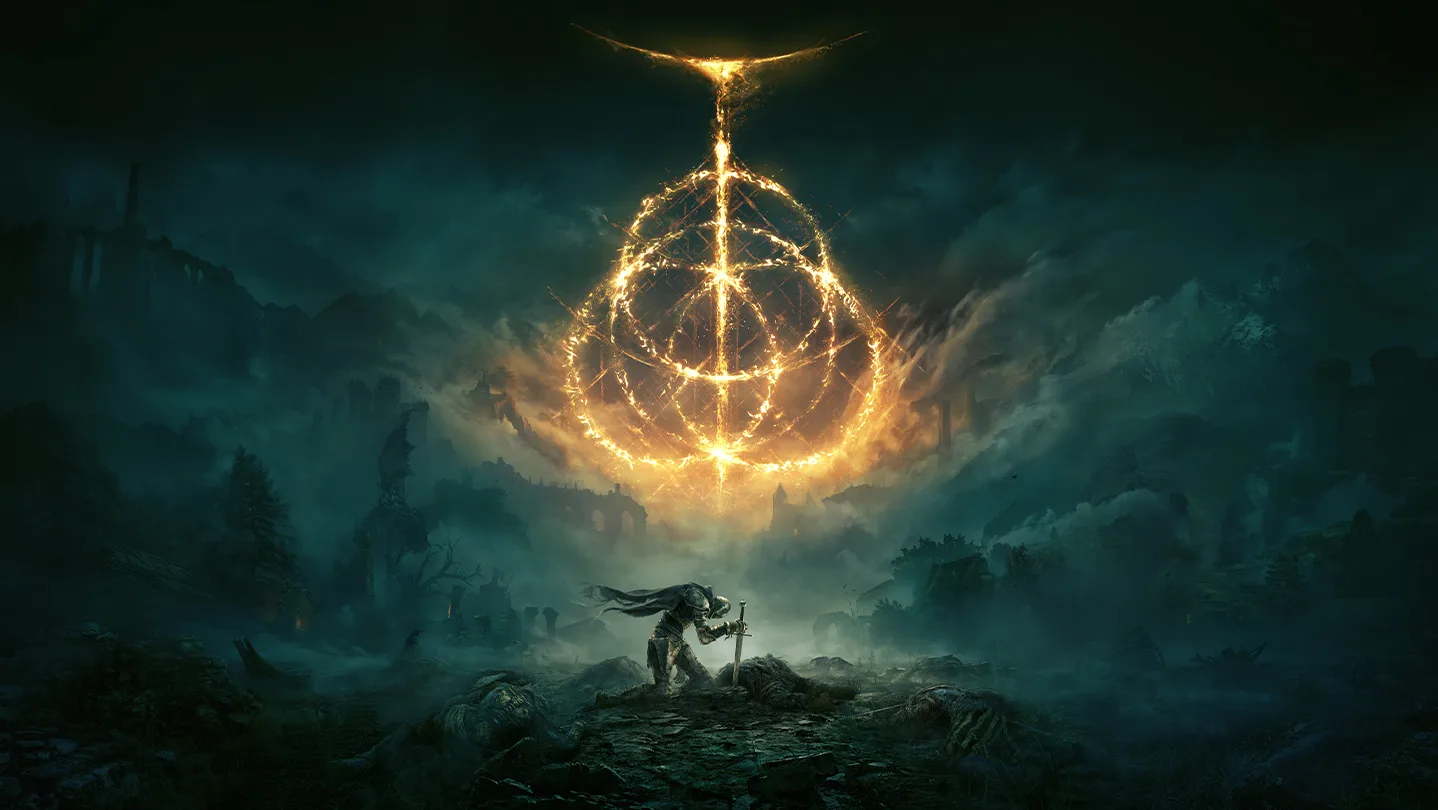
ELDEN RING is an action RPG set across the Lands Between, where you choose the route and pace of exploration. Combat rewards learning boss patterns, while weapons, spells, Ashes of War, and attributes support distinct builds. Its open world moves from castles to underground catacombs, and quest NPCs lead into separate storylines. It suits players who enjoy demanding encounters and finding secrets without a fixed path. Before buying a Steam key, compare the selected edition's contents.
Fulfilment methodDigital key
Platform and regionSteam · Ukraine
EditionELDEN RING
38.24USD−4%Steam price39.79$
Delivered automatically after payment is confirmedSteam · UkraineRefund terms
Screenshots
1 / 6
Game information from Steam
About the game
ELDEN RING is an action RPG set across the Lands Between, where you choose the route and pace of exploration. Combat rewards learning boss patterns, while weapons, spells, Ashes of War, and attributes support distinct builds. Its open world moves from castles to underground catacombs, and quest NPCs lead into separate storylines. It suits players who enjoy demanding encounters and finding secrets without a fixed path. Before buying a Steam key, compare the selected edition's contents.
Developer
FromSoftware, Inc.
Publisher
FromSoftware, Inc., Bandai Namco Entertainment
Release date
24 Feb, 2022
Genres
Action · RPG
Languages
English * , French, Italian, German, Spanish - Spain, Japanese, Korean, Polish, Portuguese - Brazil, Russian, Simplified Chinese, Spanish - Latin America, Thai, Traditional Chinese, Arabic * languages with full audio support
Your key usually arrives within a few minutes after payment is confirmed — delivery is automatic. It will appear in your order, and a copy will be sent to the email address entered at checkout.
Open your order in My purchases. If payment is confirmed but the key is taking a long time to arrive, message support in chat and provide your order number.
Where do I activate the key?
On the platform you purchased the key for:
• Steam: open the app → Games → Activate a Product on Steam, then enter your key. Official instructions. • Rockstar Games Launcher: sign in → select your avatar → Redeem Code, then enter your key and confirm redemption. • Xbox: follow the official code redemption instructions. • Nintendo: open the redemption page, sign in to your Nintendo Account and enter the code. To redeem online, you must have opened Nintendo eShop on a compatible console with that account at least once. • EA app: sign in → My Library → Redeem Code, then enter your key. Official instructions.
Before confirming, make sure you are signed in to the account you want to add the game to.
What does the activation region mean?
Ukraine means the key is intended for activation in that country. Global is an international activation region; any exceptions for a particular key should be listed in the product terms. EU is a European region with an eligible country list specific to the key.
Before paying, check that the key is compatible with your account’s country on the selected platform.
Can I buy a key as a gift?
Yes. You will receive a digital code that you can pass on to the recipient. Check their platform and account country in advance so you can choose a compatible key. If the key is a gift, do not activate it on your own account.
What is included in the selected edition?
Select the “?” icon next to the edition name, when available. It opens the corresponding edition or package on Steam, where you can check the game, DLC and other contents. If there is no link or the contents are unclear, ask support before buying.
What should I do if the key does not work?
Check that you copied the code correctly, selected the right platform, and that the key’s region matches your account’s country. If the error persists, message support in chat and provide your order number.
We recommend making a continuous video from opening the order containing the key through attempting activation, especially for your first purchase. This may help us check the issue faster. A recording is optional: we will still investigate without one, but checking the activation status with the supplier may take longer.
Each key is issued to one customer. Keys come from publishers or distributors; if a technical issue occurs, we will help resolve it.
What if I selected the wrong region?
Before paying, you can see the key’s platform and region and separately confirm your selection. Once a working key has been revealed or activated, the store’s refund policy does not provide a refund for selecting the wrong region, except in the cases specified in that policy.
If you notice a mistake, do not activate the key. Message support in chat immediately with your order number. We will check whether delivery can still be stopped or another solution is possible. You can also contact us after the key has been issued, but we cannot guarantee a refund in that case.
Can I earn cashback with Ukrainian bank cards in your store?
Yes. Purchases in our store may qualify for gaming cashback with cards issued by Ukrainian banks, such as PrivatBank’s Katka24, Sense Bank’s ProfiPlay or Alliance’s Ihrova (Gaming) card.
Before paying, check the terms in your banking app and activate the offer or cashback category if required.
Your bank awards the cashback. Rates, limits, payment times and transaction eligibility depend on your bank and card. For cards issued by banks in other countries, check gaming cashback availability with your bank.
Don’t have a card yet? Get a sign-up bonus:
Apply for Katka24 — you may receive UAH 150 after meeting the referral offer’s requirements.
Sign up with Alliance — download the app through the link, register and open a Startova card to receive UAH 200, subject to the offer’s terms. The bank offers a separate Ihrova (Gaming) card for gaming cashback.
These are referral links. After you meet the bank’s requirements, you may receive a bonus, and we may receive a referral reward. Check the current terms and availability in the banking app before applying.
Store reviews
Your guarantees
Full refund
We’ll refund the full amount if we can’t deliver or if an error on our side prevents fulfillment.
Official sources
We use official top-up channels and source digital goods from distributors.
Protected payments
We use trusted payment services. You can see the available options before paying.
Sign In
If you already have a Potik account, we recommend connecting the account in the "My Profile" section of your personal dashboard. This will help you avoid creating additional Potik accounts.
Choose a sign-in method
Potik receives only the data you allow. You can revoke access at any time. See the Privacy Policy and User Agreement.


 −6%
 −12%
 −5%
 −6%


