
Minecraft
1 720 Minecoins
1,720 Minecoins for Minecraft Marketplace in Bedrock Edition. The code adds in-game currency rather than a Minecraft game licence; check your Microsoft account before redeeming.
How you receive itDigital keyCashbackUp to 3%
Frequently asked questions
Where do I redeem my Minecraft key?
Sign in to your Microsoft account, enter the code you received, and confirm the redemption. Once successfully redeemed, the game will be linked to that Microsoft account.
Where can I download Minecraft after redeeming my key?
After redeeming your key, download the official Minecraft Launcher from the Minecraft website and sign in with the same Microsoft account used to redeem the code.
The Minecraft editions included with your purchase will then appear in your launcher.
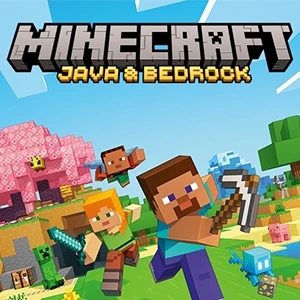
What is included with Minecraft: Java & Bedrock Edition for PC?
The edition includes both versions of the game:
- Minecraft: Java Edition
- Minecraft: Bedrock Edition for Windows
After redemption, both editions will be available on the same Microsoft account.
What is the difference between Java Edition and Bedrock Edition?
Java Edition is available on Windows, macOS, and Linux and supports multiplayer with other Java Edition players.
Bedrock Edition supports cross-platform multiplayer between Windows, Xbox, Nintendo Switch, PlayStation, and mobile devices.
Minecraft Marketplace and Minecoins are available in Bedrock Edition.
What are Minecoins?
Minecoins are the virtual currency used in Minecraft: Bedrock Edition.
They can be spent in the Minecraft Marketplace on skins, texture packs, worlds, maps, add-ons, and other in-game content.
Where will my Minecoins appear after redemption?
Your Minecoins will appear in the Minecraft Marketplace when you sign in to Minecraft: Bedrock Edition using the same Microsoft account on which the code was redeemed.
If your balance does not update immediately, restart Minecraft and check the Marketplace again.
Can I use Minecoins in Minecraft: Java Edition?
No. Minecoins are intended for Minecraft: Bedrock Edition and are used in the Minecraft Marketplace.
Minecraft: Java Edition does not use Minecoins or the Minecraft Marketplace.
Can I give a Minecraft key to someone else?
Yes. You can give the key to another person as long as it has not been redeemed yet.
Once redeemed, the game, Minecoins, or other digital content will be linked to the Microsoft account used during redemption.
Can I refund an activated Minecraft key or Minecoins?
Once a digital code has been successfully redeemed, it is considered used and cannot be resold or transferred to another user.
If a code purchased from Potik is invalid before it has been successfully redeemed, contact our support team so we can investigate the issue.